
Home Screen Customization
NavigateArrange your Emby web home screen so the items you use most are easy to thefind. website:These are personal display preferences.
Before you start
Sign in at https://blackbeardsvault.com. This guide uses the web client; app versions can have different section controls.
Customize the home screen
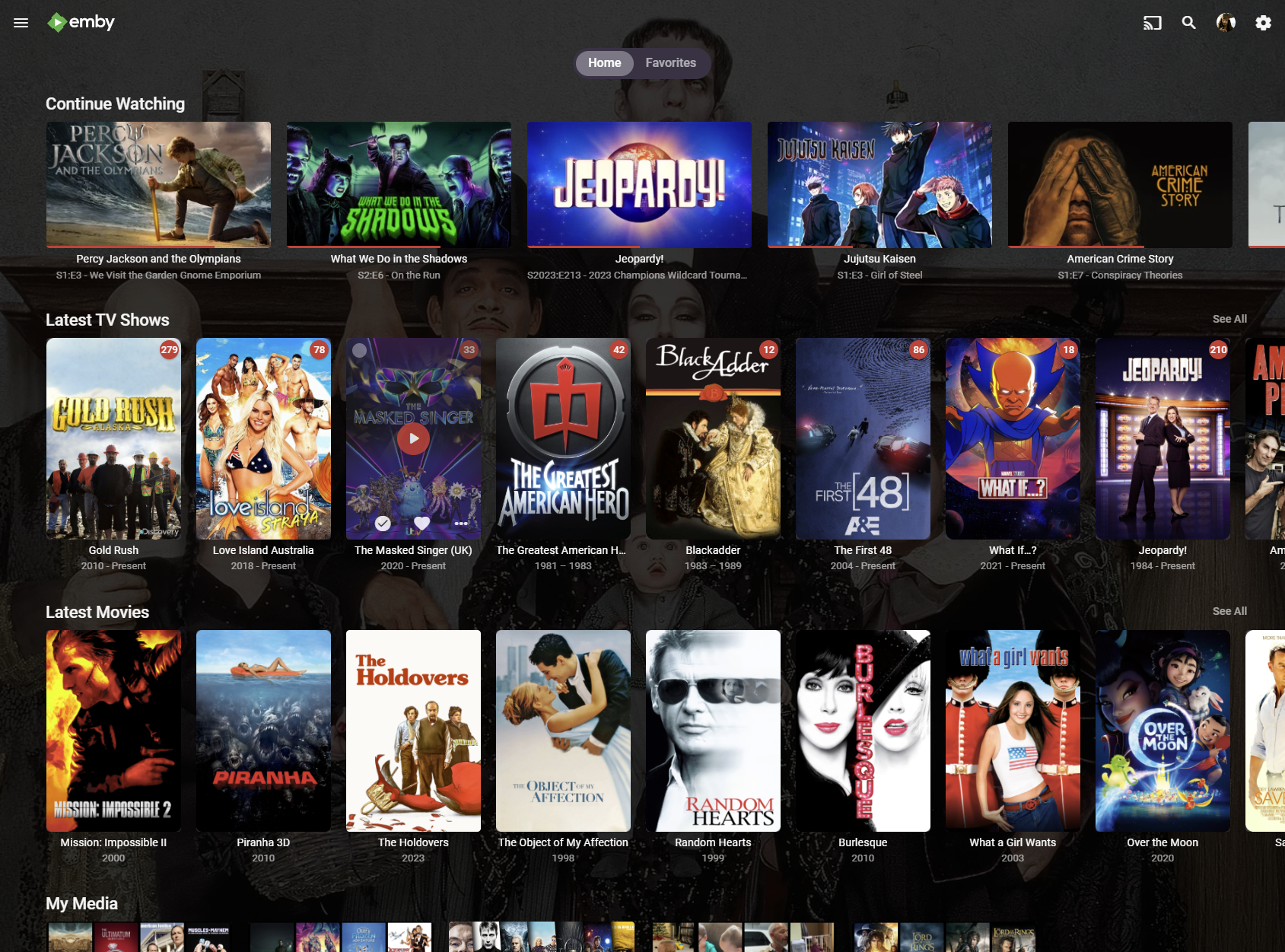
Expected result: in-progress titles appear first, followed by new additions and your library shortcuts. Pick a different order if it suits you better.
Click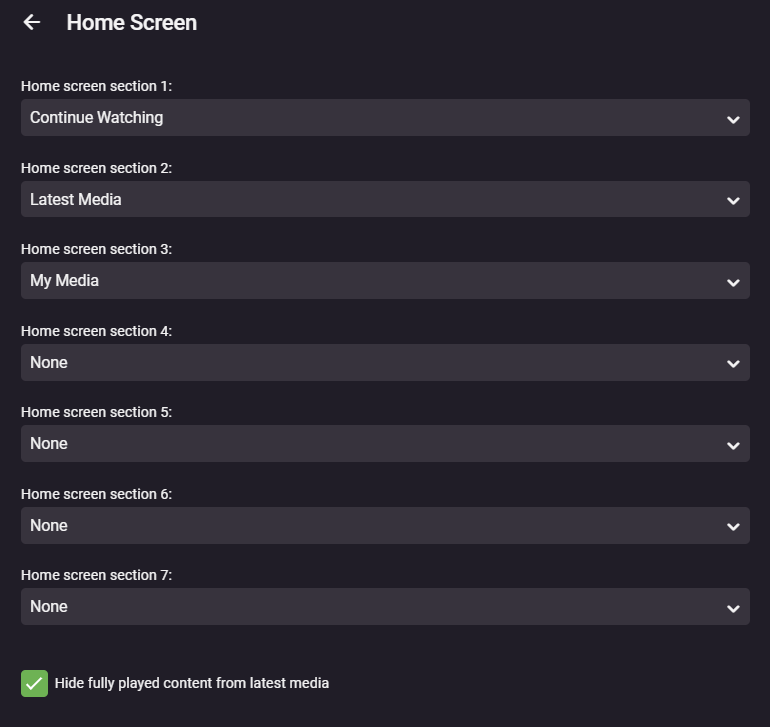
Example from the existing guide. Newer Emby versions may use a different section editor; the suggested order is the same.
Troubleshooting
If a label or option is missing, check the equivalent Home Screen controls in your current app. Available sections depend on the gearlibraries iconyour onaccount can access. Refresh Home after changing settings; some preferences are specific to the top right and select "App Settings"client.
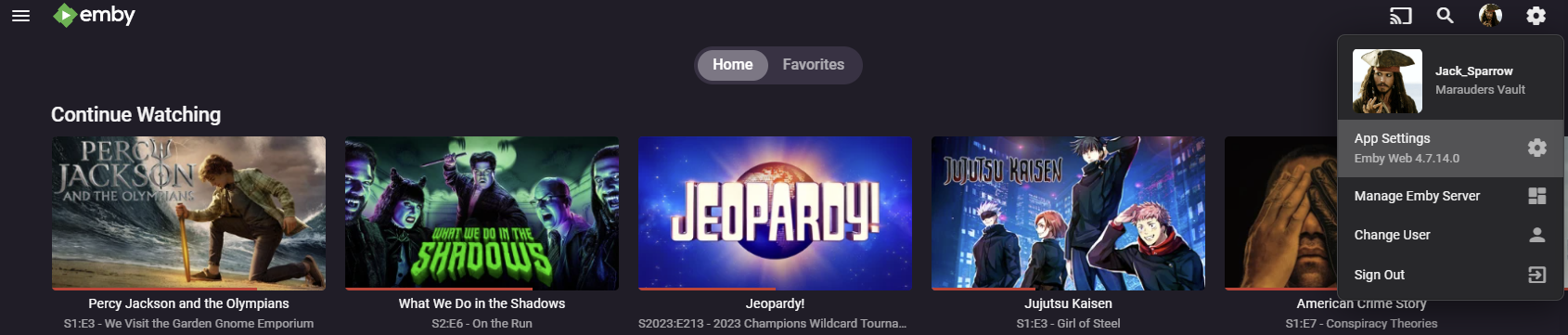
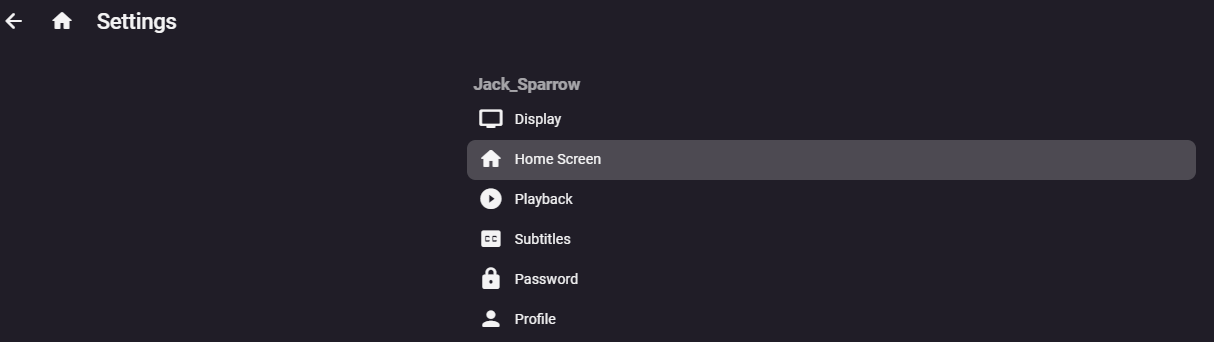
Click on "Home Screen"
The recommended layout is as shown below
Matching the layout above renders the app screens like this below
If you need help or have questions reach out to @Captain Cruv in the #emby-support channel on Discord. Include your device, app version, exact error, and when it happened. Never post your password.
References
Emby Home Screen and Library Order · Emby web client
Technical guidance reviewed September 2026. Store availability and interface labels can change.