
Roku App Sign-In
Connect Emby on a Roku streaming player or Roku TV.
Before you start
- Have the username and password supplied after signing up on Discord. Use your username, not your email.
- Connect your device to the internet.
Install and sign in
- Search Roku’s Streaming Store for Emby and add it. The official Roku page links to the correct app.
- Open Emby and choose the manual server connection option if Emby Connect is offered.
- Enter Host:
https://blackbeardsvault.com. - Enter Port:
0, then choose Connect to Server. On this Roku form, 0 prevents an extra port being appended to the HTTPS address. - Choose Manual Login. Enter your Discord-issued Username and Password, then sign in.
Expected result: your Emby home screen appears. Roku full playback is free; no playback app unlock is required.
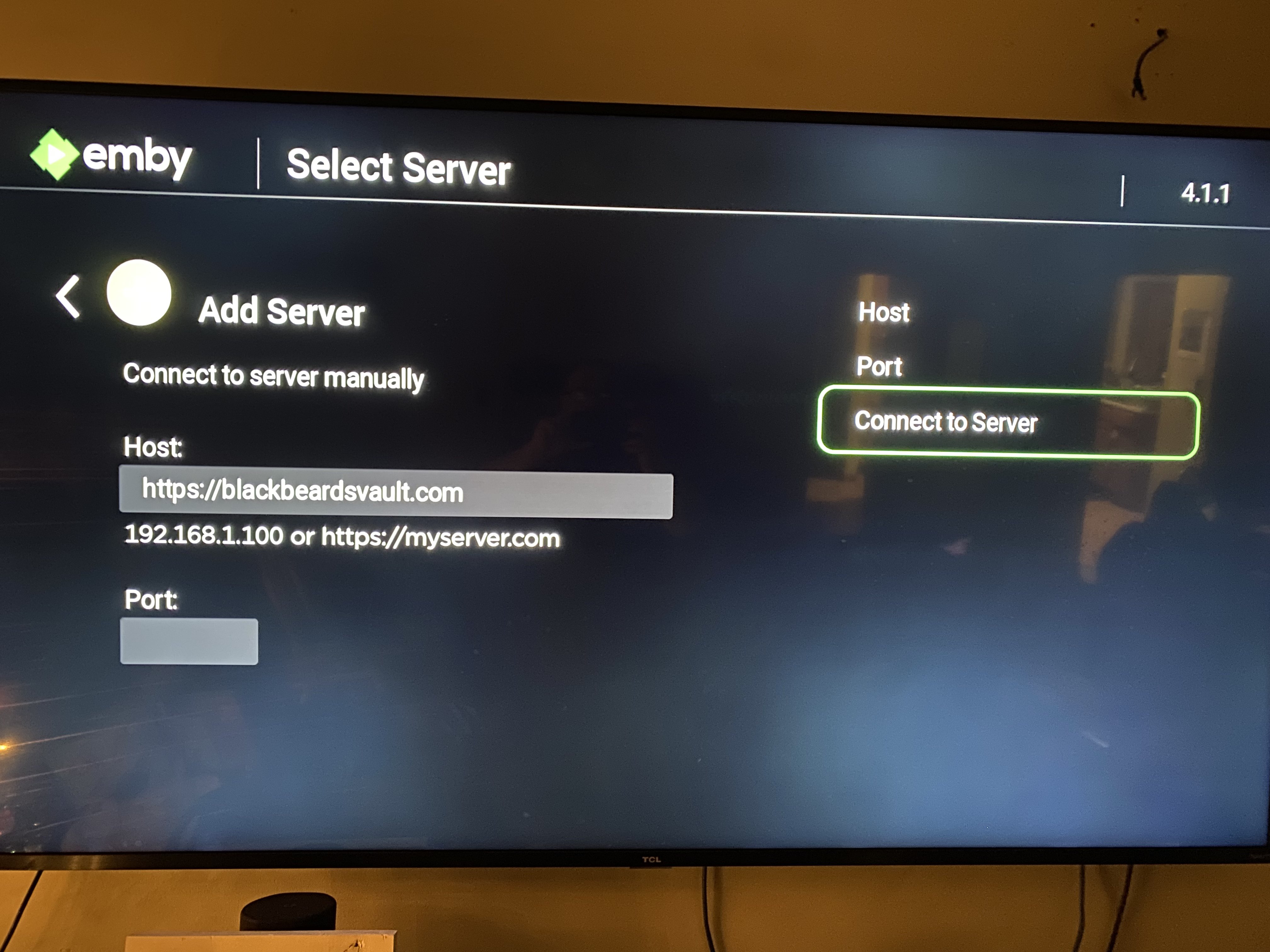
Roku connection form from the existing guide. Use the Host and Port values written above.
Already bought an app unlock in the past? Emby honors those previous purchases. Sign in to the same Apple, Google, or Amazon store account that originally bought the unlock, using the matching app/platform. Use Restore Purchase if the app offers it. If the purchase is not recognized, contact Cruv. New app unlocks are no longer the route for access. Never purchase Emby Premiere.
Need an unlock, or seeing “Premiere Device Limit Exceeded”? Contact @Captain Cruv in #emby-support for a Jellyfin account. Do not buy an app unlock or Emby Premiere. Once Cruv has provided your account, follow Getting Started with Jellyfin.
Troubleshooting
- Cannot reach the server: copy
https://blackbeardsvault.comexactly and try the web client. - Sign-in rejected: check your username and password for extra spaces. Use the server login, not Emby Connect. Ask for account help if it still fails.
- Playback or licensing error: update the app, try another title, and report the exact message to support.
Contact @Captain Cruv in #emby-support on Discord. Include your device, app version, exact error, and when it happened. Never post your password.
References
Emby playback requirements · Emby Roku developer guidance on Port 0
Technical guidance reviewed September 2026. Store availability and interface labels can change.