
Roku App Sign-In
ToConnect downloadEmby on a Roku streaming player or Roku TV.
Before you start
Install and sign in
Once installed, you will needlinks to enterthe correct app.
https://blackbeardsvault.com
.
Do
0, Expected do.result: your Emby home screen appears. Roku full playback is free; no playback app unlock is required.
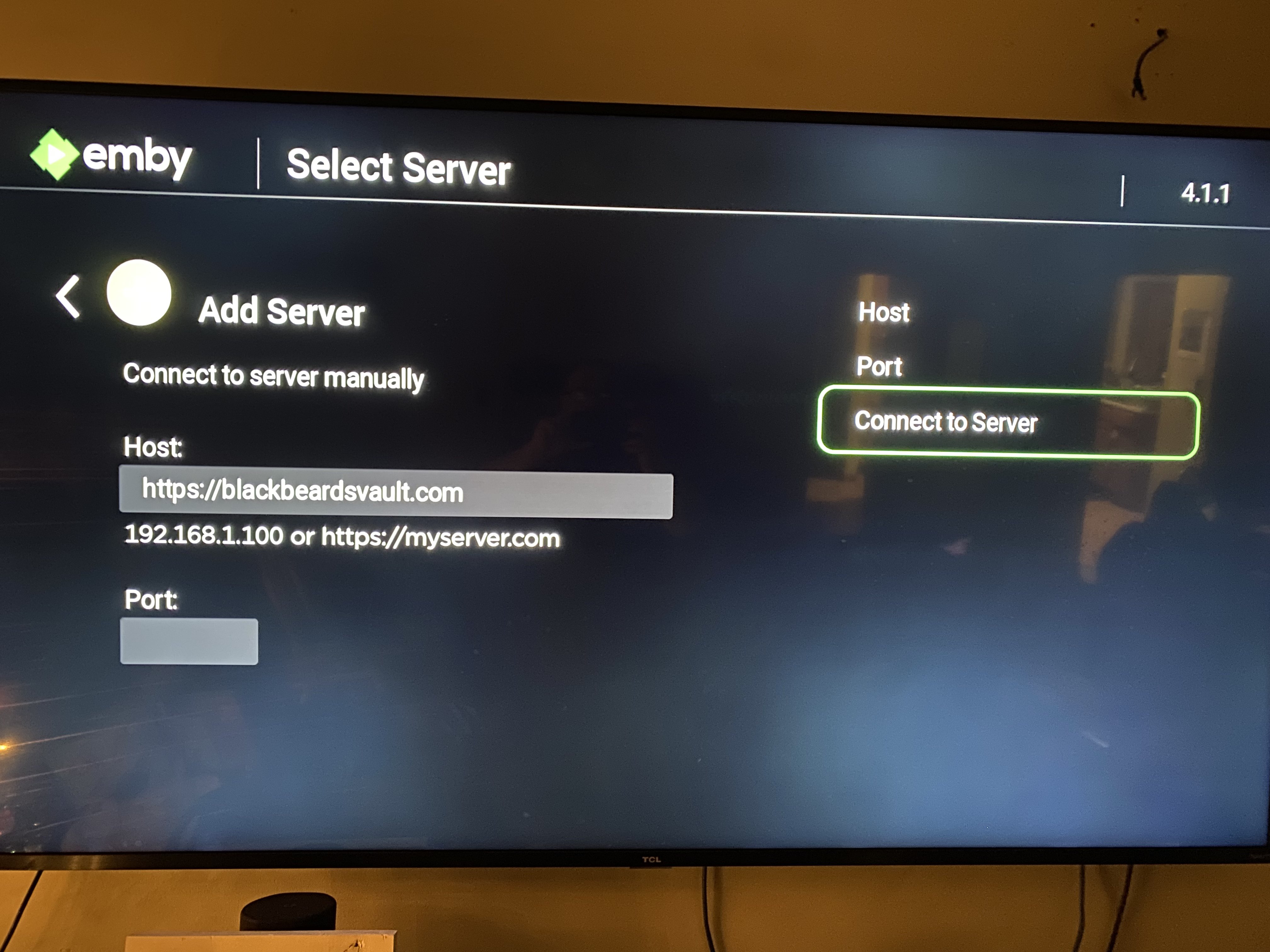
EnterRoku 0connection inform from the "Port"existing section.guide. Failing to do so will prevent you from proceeding.
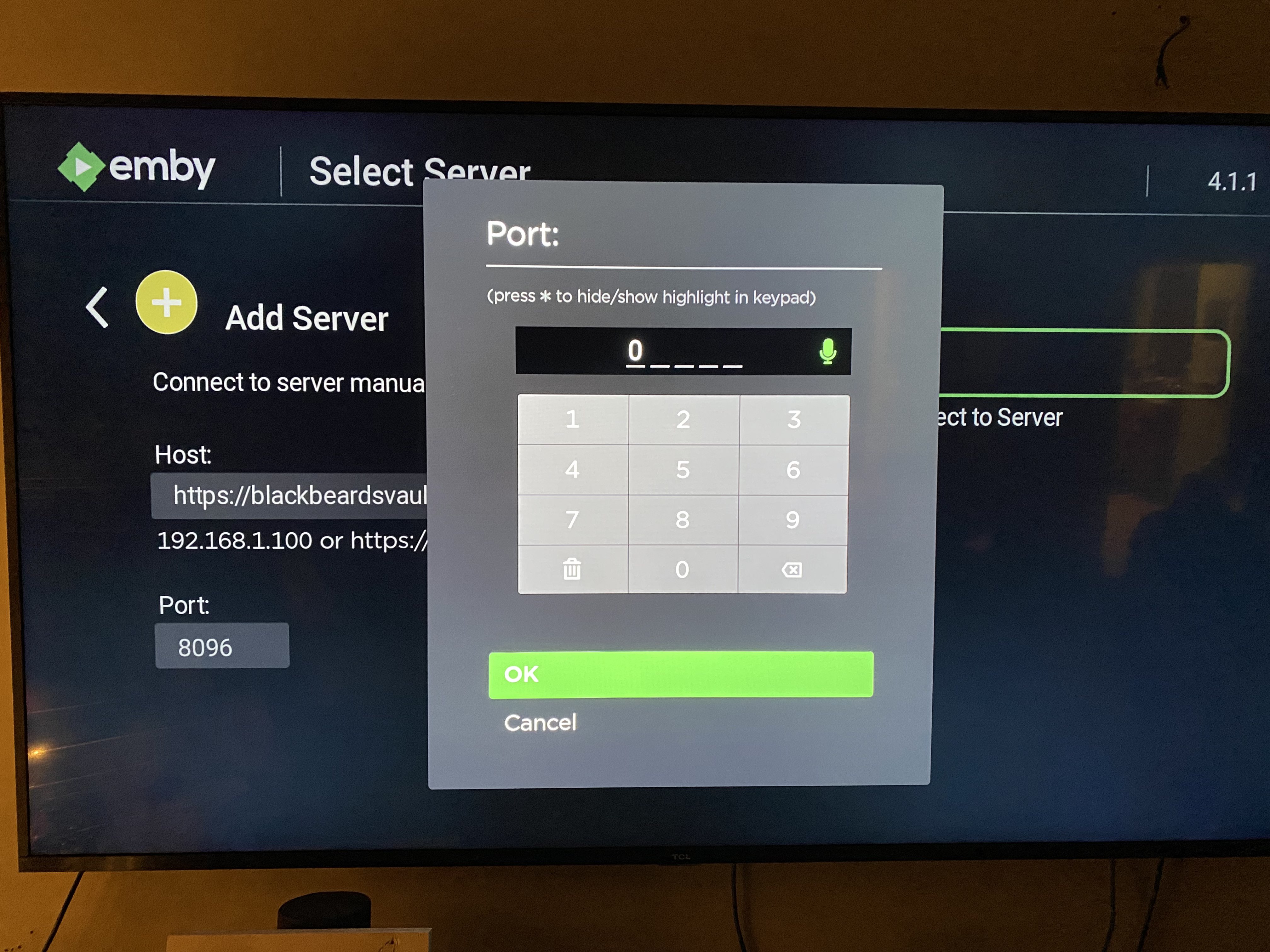
After enteringUse the Host and Port correctly,values clickwritten onabove.
Already bought an app unlock in the past? Emby honors those previous purchases. Sign in to Server"the
Choose "Manual Login" and enter your Username and Password.
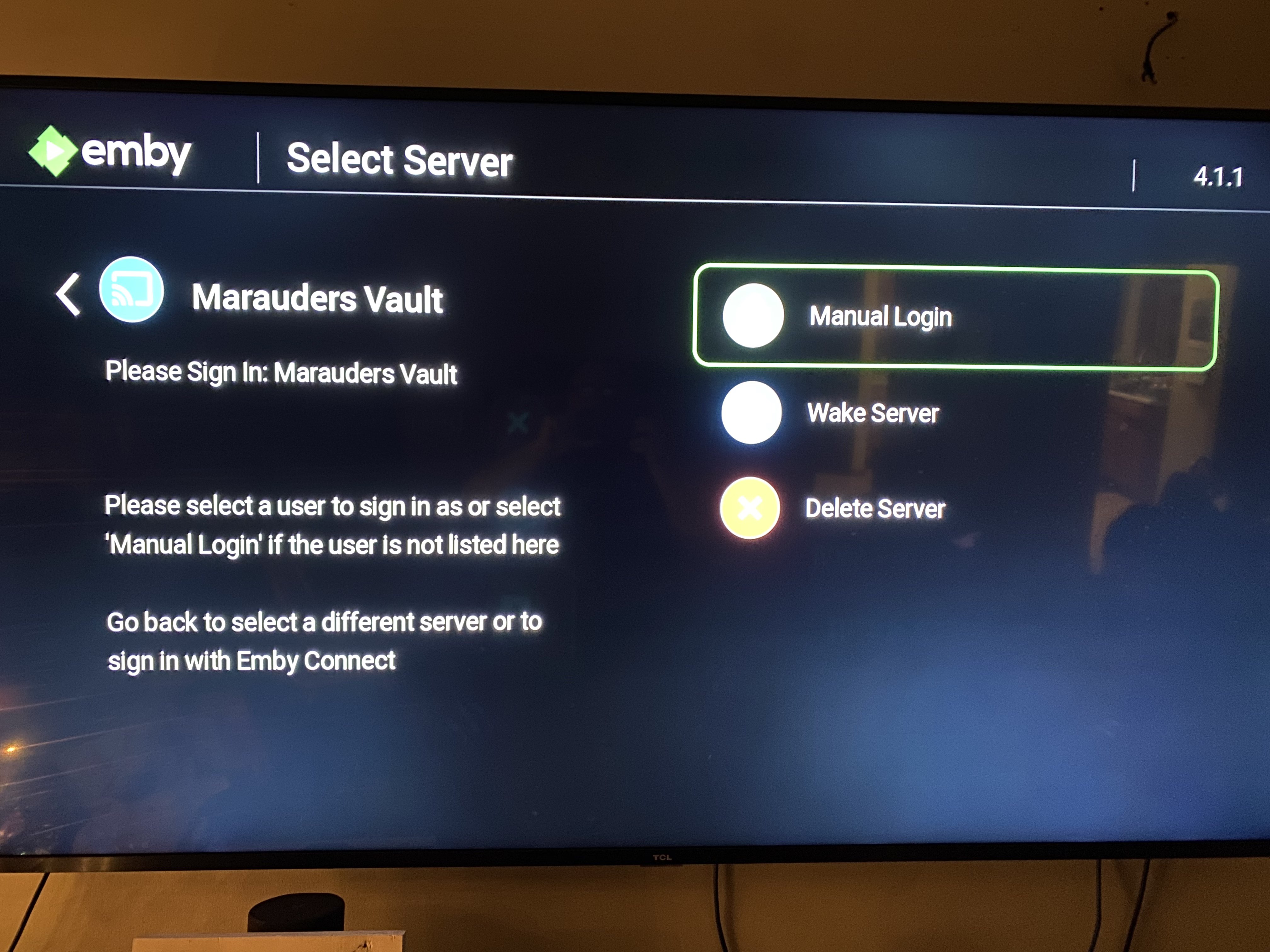
The Username and Password fields use your credentials you received after signing up on Discord. If you've forgotten your passwordGoogle, or cannotAmazon logstore in,account doublethat checkoriginally youbought arethe unlock, using the correctmatching Usernameapp/platform. Use Restore Purchase if the app offers it. If the purchase is not recognized, contact Cruv. New app unlocks are no longer the route for access. Never purchase Emby Premiere.
Need an unlock, or seeing “Premiere Device Limit Exceeded”? Contact @Captain Cruv in #emby-support for a Jellyfin account. Do not buy an app unlock or Emby Premiere. Once Cruv has provided your account, follow Getting Started with Jellyfin.
Troubleshooting
https://blackbeardsvault.com exactly and Contact @Captain Cruv in #emby-support on Discord. Include your device, app version, exact error, and when it happened. Never post your password.
References
Emby playback requirements · Emby Roku developer guidance on Port 0
IfTechnical you'reguidance stillreviewed havingSeptember issues,2026. reachStore outavailability toand @Captaininterface Cruvlabels incan the #emby-support channel on Discord. change.